Your Public page
Your Public page is a page for your business at a short web address you choose, such as kriyaos.page/joes-bakery. Share it anywhere:
- your Instagram bio
- your Google Business profile
- your email signature
- a QR code at the counter.
What customers see
Section titled “What customers see”- your business’s name and what it does
- your photos
- your locations, with their hours
- a chat with your Agent.
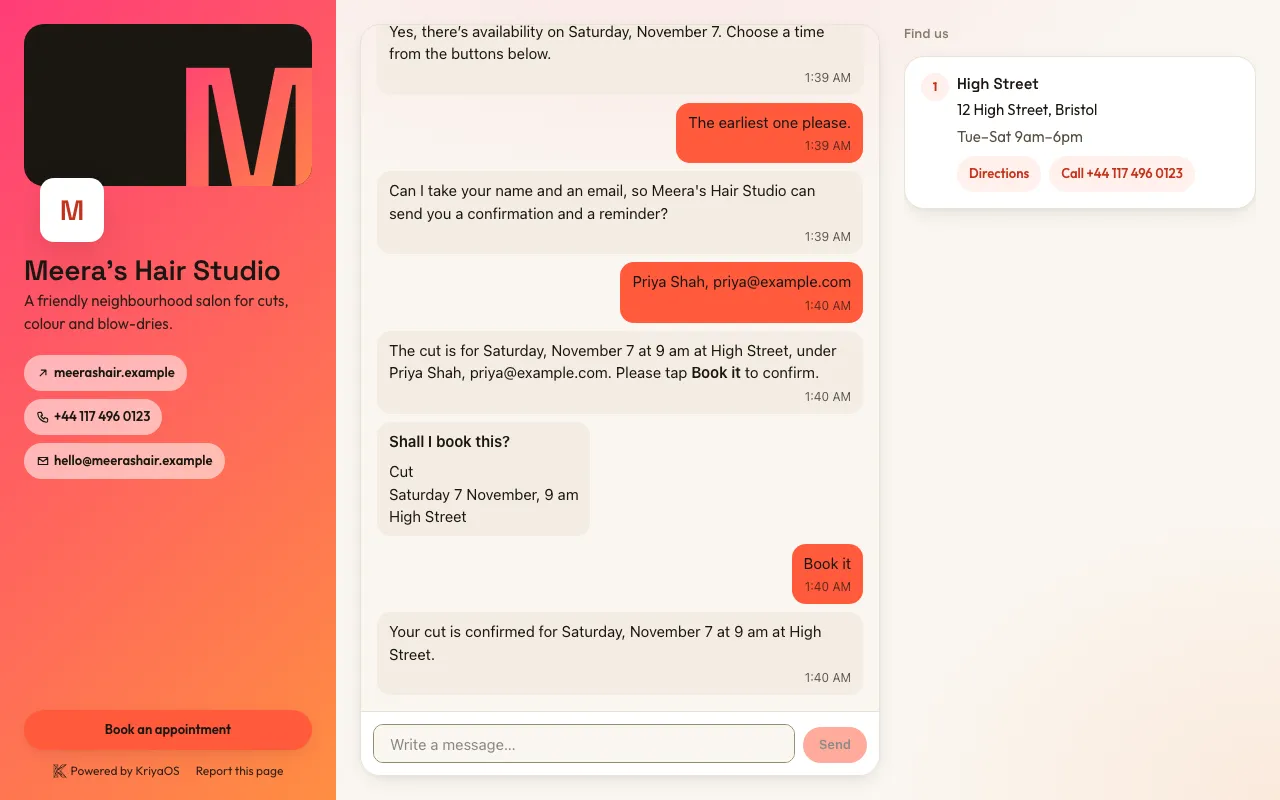
The page wears your Brand: your logo, your colour and, if you like, gradients. If you haven’t set a Brand, it gets KriyaOS’s clean default look.
Turn it on
Section titled “Turn it on”- Ask Kriya, “Turn on my public page”, or go to Settings → Public page.
- Choose its web address. If you change it later, the old address keeps sending people to the new one.
- Choose which Agent answers on it.
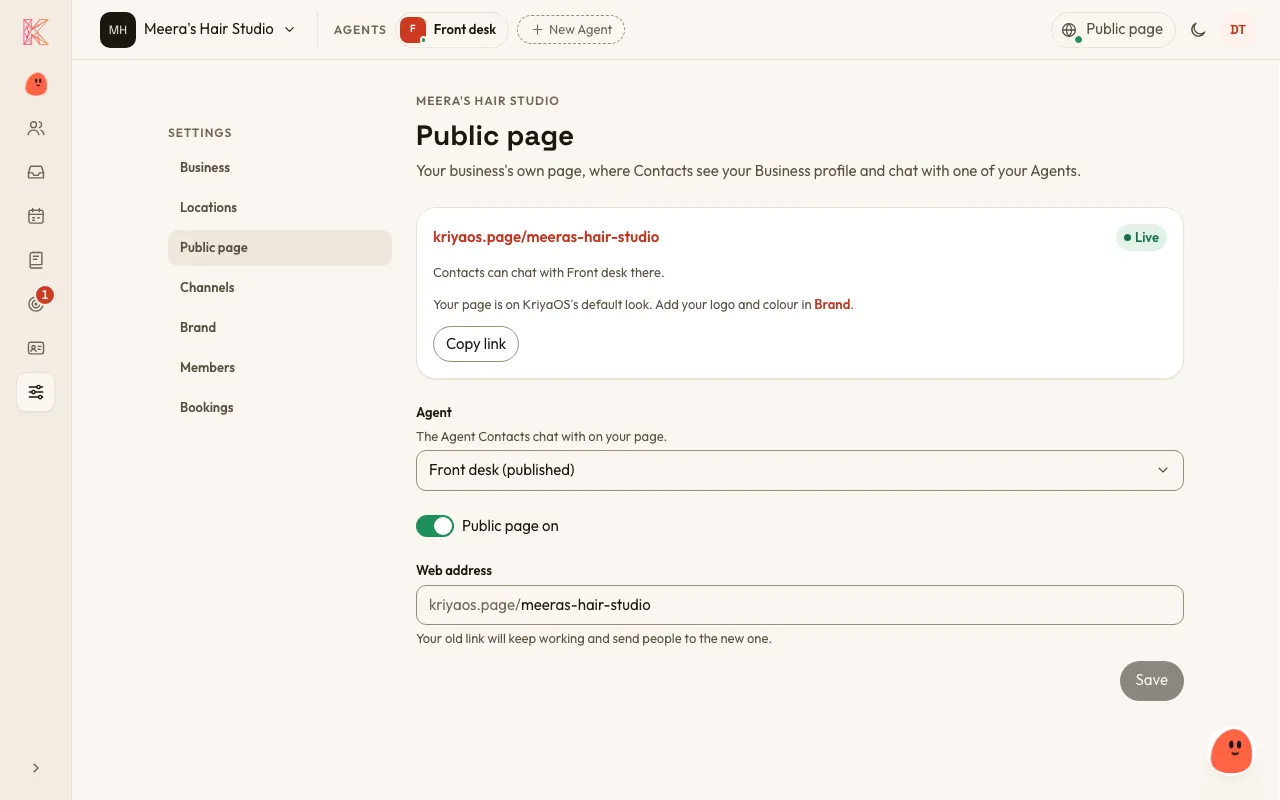
Your Public page goes live once it’s on and its Agent is published. A business has at most one Public page. You can point it at any of your Agents, or turn it off.
Continue with Google
Section titled “Continue with Google”When customers leave their details in the chat, they can tap Continue with Google to share their name and email instead of typing them. KriyaOS keeps nothing from their Google account except that verified name and email, and only for your business.