
Kriya, your Copilot
Kriya is the chat that’s always there in the KriyaOS console. Ask it to do something in your own words, and it does it for you, with exactly the permissions you have. Your customers never talk to Kriya; they talk to your Agent.
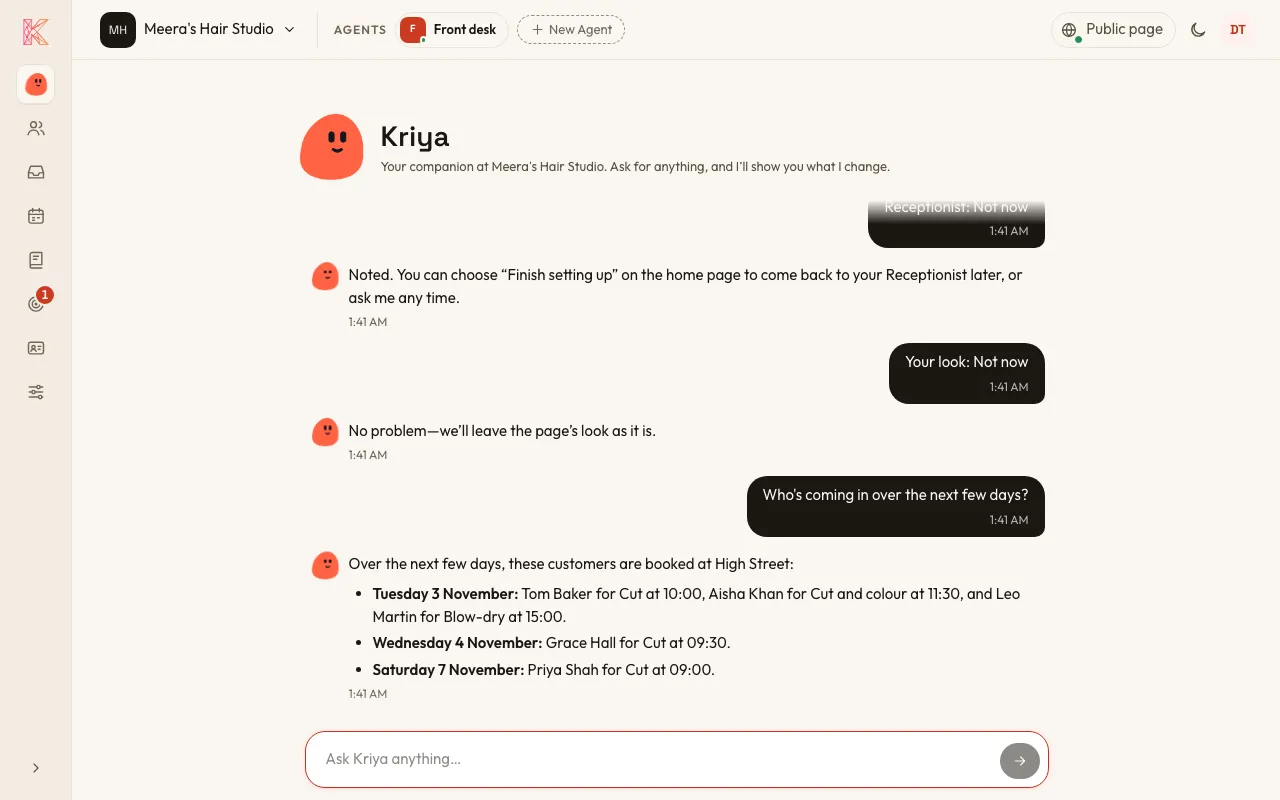
What you can ask Kriya
Section titled “What you can ask Kriya”Set things up. One sentence is enough to start:
“I run a hair salon with two stylists, open Tuesday to Saturday.”
Kriya asks for the rest it needs, such as your hours, your services and what people usually ask.
Change things:
- “Make the agent sound friendlier.”
- “Close next Monday.”
- “Add a 30-minute consultation at £40.”
Run your business:
- “Who booked this week?”
- “Move Sam’s Thursday Booking to Friday at 3.”
- “Any new leads today?”
Kriya can make, move and cancel Bookings, add Contacts, show what your Agents have been doing, and send a Promotion once you say yes.
You can always see what Kriya did
Section titled “You can always see what Kriya did”Everything Kriya can change is also on screen in the console, where you can check it and edit it yourself. Kriya can’t do anything you couldn’t do by hand.
A few things only you can do, such as trying your Agent in the Test chat. For those, Kriya shows you where to go.
Kriya remembers your decisions
Section titled “Kriya remembers your decisions”When an Owner or Admin decides something with Kriya, it keeps one short line about it, with who said it and when. Kriya remembers it next time, so you don’t have to repeat yourself.
- Everyone on your team can see these lines on the Knowledge page, under Kriya remembers.
- Owners and Admins can Forget any line, or Forget everything.