
Agents
Your Agent is the AI that talks to your customers. You set it up by talking to Kriya, and you can change anything about it at any time.
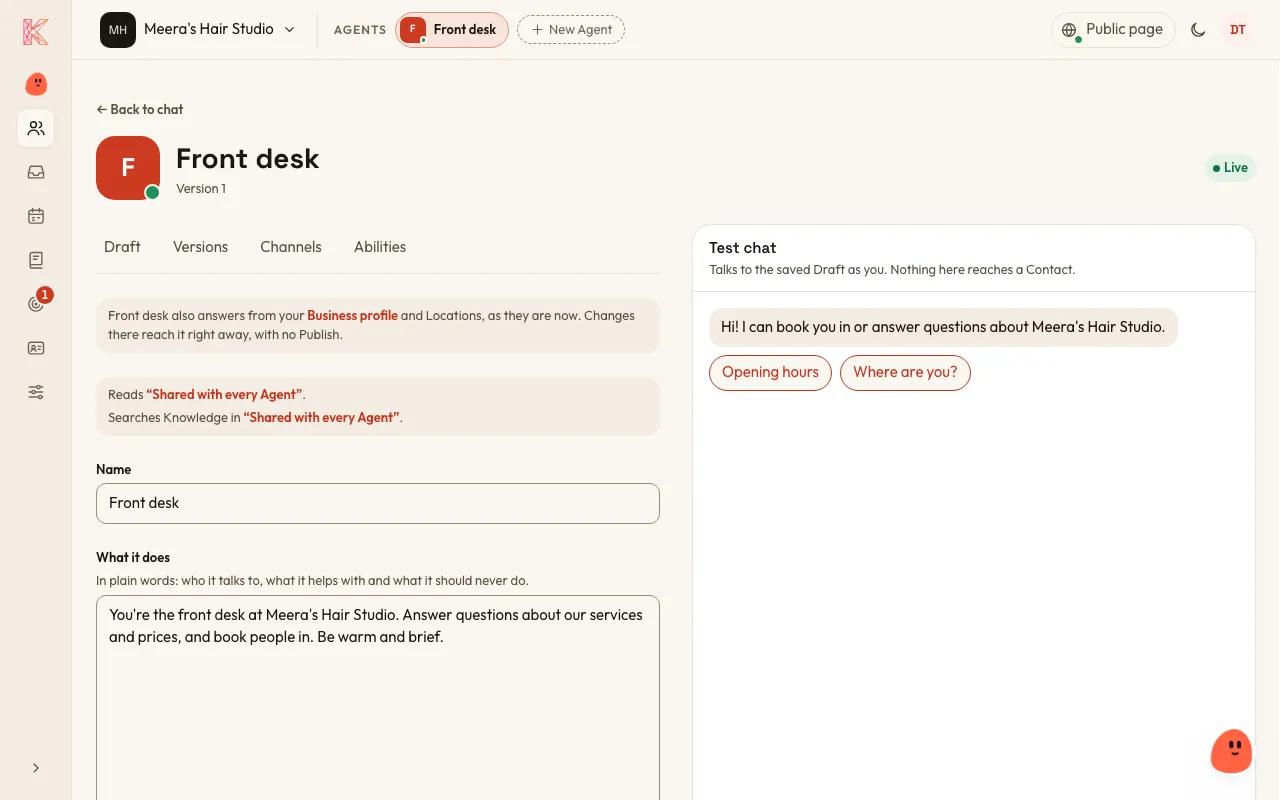
What your Agent knows
Section titled “What your Agent knows”Your Agent answers from:
- its instructions: what it does and how it speaks
- your Business profile and Locations
- your Services and Availability, if it takes Bookings
- the Knowledge in the Folders it’s allowed to read.
If the answer isn’t there, it says so and offers to take the customer’s details so someone can get back to them. It never makes things up.
How it speaks
Section titled “How it speaks”Like a friendly person at your front desk, in your business’s own voice. Read its Conversations, and tell Kriya if you’d like it to speak differently: “Be a bit more formal”, or “Keep answers short”.
Abilities
Section titled “Abilities”Abilities are things your Agent can do beyond answering questions. You turn each one on or off for each Agent:
- Take bookings: your Agent finds free times and books a customer in after reading the booking back to them. It can also list, move or cancel that customer’s own Bookings. See Bookings.
- Capture leads (on to start with): when a customer wants to buy or wants a call back, your Agent asks once for a name and a phone number or email, and notes what they want in one line for whoever calls them back. It never asks in its first reply. See Leads.
Draft, Publish and Versions
Section titled “Draft, Publish and Versions”- The Draft is the copy of your Agent you edit.
- Publishing freezes the Draft into a numbered Version, and that’s the Version your customers talk to.
- Editing the Draft never changes the live Version until you publish again.
- You can publish any earlier Version again at any time, if you want to go back.
Before you publish, try your Draft in the Test chat. You talk to it as a customer would, and nothing you say there is remembered or reaches real customers.
Changes to your hours, prices and Knowledge reach your Agent straight away, with no need to publish again.
Model tier
Section titled “Model tier”Each Agent runs at one of three tiers: Fast, Balanced or Thorough. Kriya suggests one and says why, and Balanced is the default. You never pick or pay for an AI model yourself.
More than one Agent
Section titled “More than one Agent”You can have several Agents, for example one for customers and one that answers your team’s questions from your staff handbook.
Agent chats
Section titled “Agent chats”You and your team can chat with a published Agent as yourselves, for example to ask it about your own documents. In an Agent chat, the Agent makes no Bookings or Leads. Your Agent chats are private: nobody else on the team sees them.
Deleting an Agent
Section titled “Deleting an Agent”An Owner or Admin can delete an Agent, and it can’t be restored. Its Conversations, Leads and Bookings stay, under its name marked as deleted. Its Agent chats are deleted, its Channels answer no one, and if it answered your Public page, the page turns off. Point those Channels at another Agent first.