
Knowledge
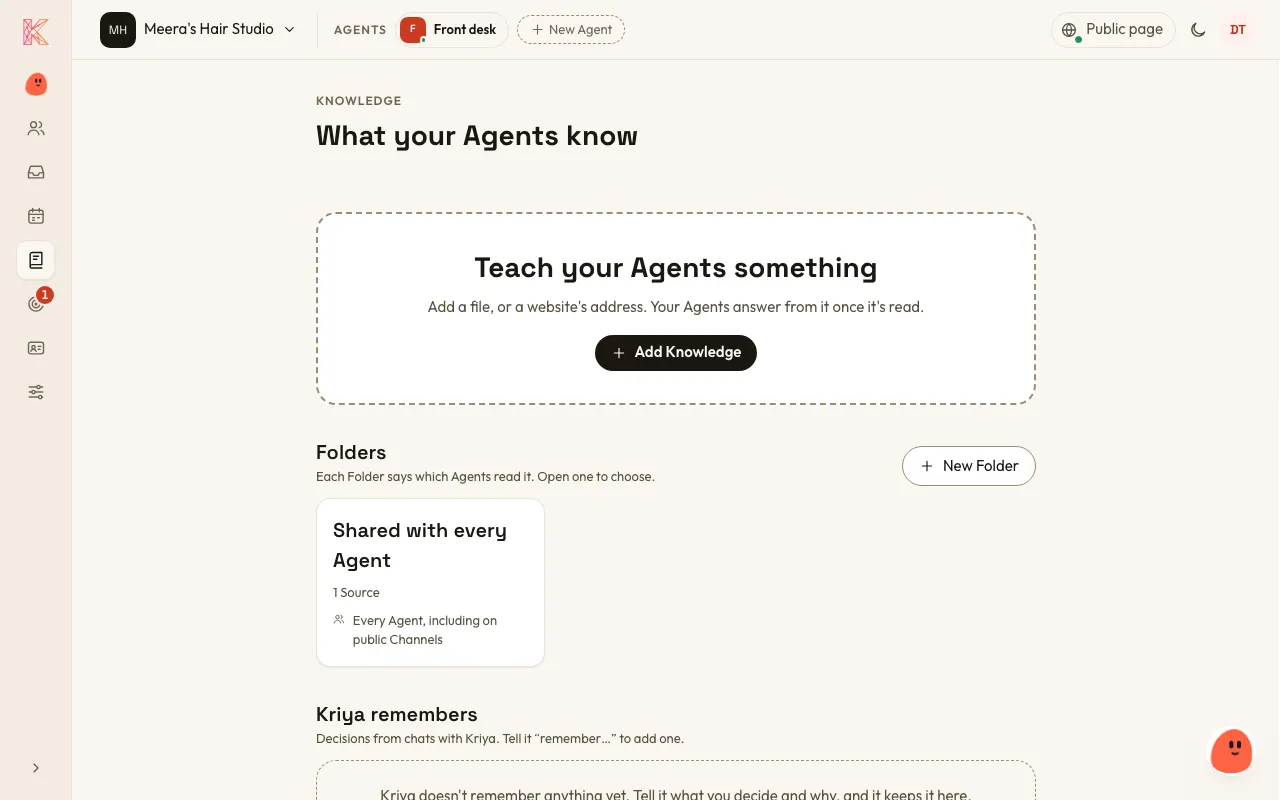
Knowledge is what your Agents answer from beyond your Business profile, Locations and Bookings: files and websites you add.
What you can add
Section titled “What you can add”- A file: PDF, Word, Excel, CSV, plain text or Markdown, up to 10 MB.
- A website: one page, or that page and everything under it, up to 200 pages. Keep this up to date is on to start with, so it’s read again every week and your Agent stays current. Up to 10 websites can be kept up to date. In a personal Organization, a website is read once.
You can add up to 100 of these.
Good things to add:
- a price list
- FAQs
- your policies, such as cancellations, deposits or parking
- a menu
- class descriptions
- a brochure
- your own website.
Add Knowledge
Section titled “Add Knowledge”- Go to the Knowledge page and choose Add Knowledge.
- Choose A file and drop it in, or A website and paste its address.
- Pick the Folder.
Owners and Admins can add Knowledge.
Or tell Kriya: “Add our price list PDF to the Agent’s knowledge.”
Folders
Section titled “Folders”Every business has one Folder, Shared with every Agent. Owners and Admins can also make private Folders and tick which Agents may read each one. For example, a staff handbook can be readable by an internal Agent but not by the Agent on your Public page.
How your Agent uses it
Section titled “How your Agent uses it”When a question could be answered from your Knowledge, your Agent searches it by keyword and answers from what it finds. If the answer isn’t there, it says so. It may give a customer a web page’s address, but never a file’s name.